Precision landing analysis
for MSFS 2024.
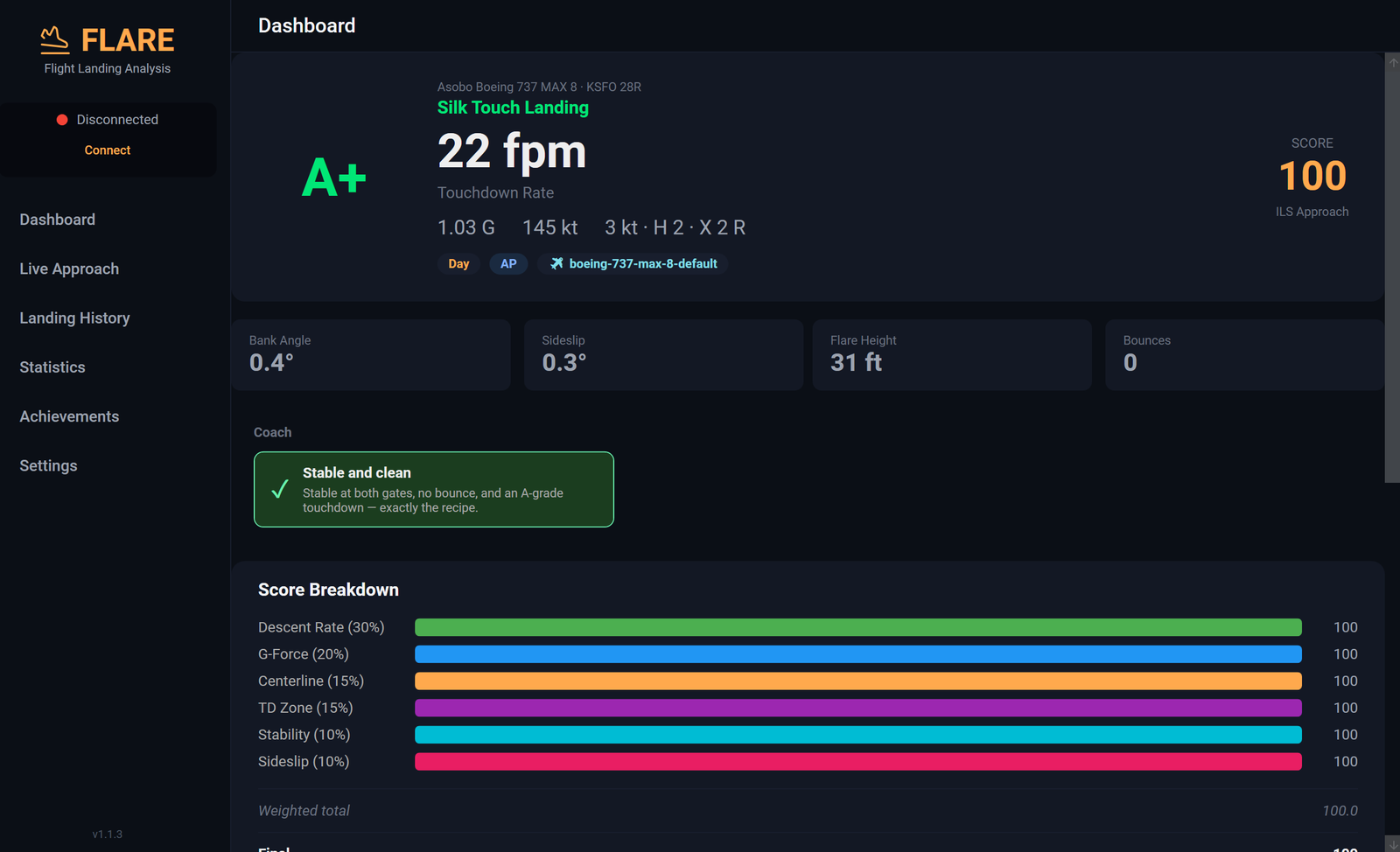
FLARE captures every touchdown frame from MSFS, grades it against per-aircraft envelopes for 498 airframes, and shows the full approach trace from 1,000 ft AGL to rollout.
Windows 10/11 · 64-bit · Requires Microsoft Flight Simulator 2024 (PC)
Made for

What FLARE does
Six things the built-in sim won't tell you.
The data a real airline FOQA system captures, in a tool that installs in one click and stays out of your way.
Precision touchdown
Real FPM, G-force, bank, sideslip and crosswind, captured the moment the wheels touch.
Real-world grading
A+ to F grades against per-aircraft envelopes: a 737 isn't graded like a Cessna. FAA, ICAO and FCOM-anchored thresholds for 498 airframes across 66 sub-families and 28 categories.
Approach replay
Flare height, glidepath and speed on final, centerline accuracy and touchdown distance, recorded from 1,000 ft AGL through the rollout.
Standalone window
A separate Windows app, not a sim add-on. Park it on a second monitor. Live data on final, and a score card over the sim as you roll out.
Your logbook
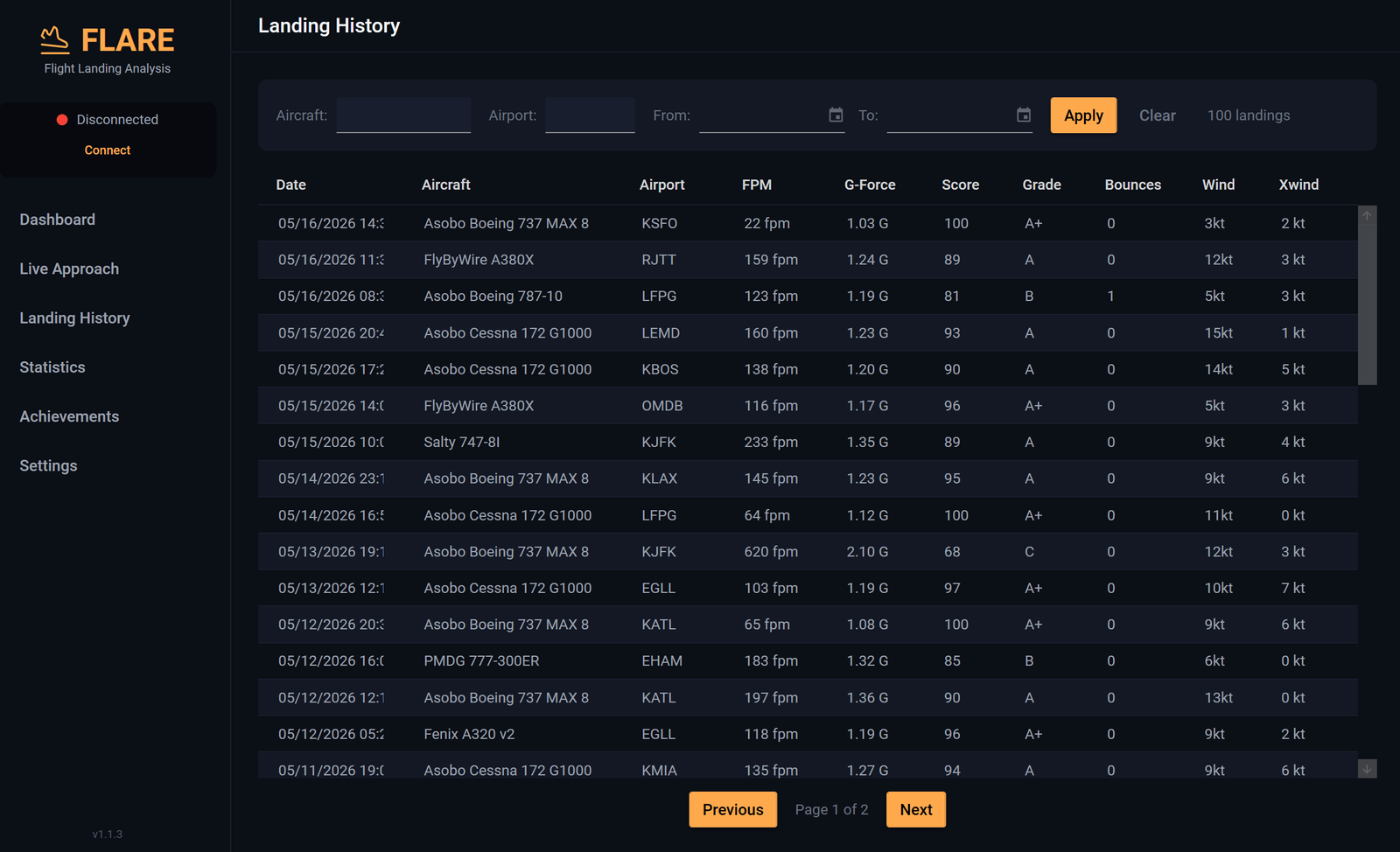
Every touchdown in a SQLite database on your PC, with filters and CSV / JSON export, synced to your private account unless you switch it off.
Zero setup
Launches with MSFS. Auto-connects to SimConnect. Auto-reconnects on sim restart. One installer, done.
Try it
What would your touchdown score?
Drag the slider and the grade and G-force update in real time, scored with the same curves FLARE uses for a Boeing 737.
Touchdown vertical speed
-180fpm
Feels smooth
Grade
AScored with FLARE's narrow-body airliner curves, assuming the other components (centerline, touchdown zone, stability, sideslip) are perfect, so the grade you see is the best that descent rate and G-force allow on an otherwise clean landing. For the demo, G-force is estimated from the descent rate (≈ 1 + |fpm|/620); the desktop reads it from the sim. Other aircraft have their own curves; browse the catalog →
G-force at touchdown
1.29G
Touchdown point · assumed perfect
THREND
Your history
A logbook on your own drive.
Every touchdown in a SQLite file under %LOCALAPPDATA%\FLARE.
Filter it, export it to CSV or JSON, or download any landing's raw trace. Landings also sync to your private account on flaresim.io, and one switch turns that off.
Pricing
One price. Lifetime updates.
Pay once. Every future FLARE release included. No subscription.